
Phone Backup: The Essential Guide to Not Losing Anything
Have you ever imagined what would happen if you lost your phone?
Think for a moment: your smartphone isn't just a device. It's the photo album of your holidays, your contact list of friends and family, your important conversations, and even your schedule. Losing your phone, having it stolen, or simply having it stop working overnight can mean losing a part of your digital life. Fortunately, there's a simple and effective solution to avoid this nightmare: backup.
What exactly is a backup?
Simply put, a backup is a copy of all your phone's important data stored in a secure location, completely independent of the device. This location can be the "cloud" (online services like Apple's iCloud or Google Drive) or your own computer. If something happens to your phone, you can use this copy to restore all your information to a new device, as if nothing had happened.
Why is backing up so important?
Maintaining an updated backup is one of the most important habits you can have. The reasons are clear:
- Protection against unforeseen events: A phone can break down without warning, fall and shatter, be lost or stolen. With a backup, the loss of the device becomes a material problem, not a loss of irreplaceable memories.
- Smooth transition to a new phone: When you decide to buy a new smartphone or one of our verified pre-owned phones from iCase, having a recent backup makes the change incredibly easy. In a few minutes, your new device will have all your contacts, photos, apps, and settings.
- Peace of mind before a repair: If you need to bring your phone to our store for a repair, we always recommend that you perform a full backup beforehand. Although our technicians take the utmost care, it's an extra layer of security that ensures your data is 100% safe.
How to Back Up Your iPhone
Apple offers two main ways to back up your iPhone. Both are secure and effective.
Option 1: iCloud (the simplest and most automatic method)
iCloud is Apple's cloud service and the most practical way to keep your data safe. It can back up automatically, without you having to worry.
- Go to Settings > [your name] > iCloud.
- Tap iCloud Backup and enable the option.
- From now on, your iPhone will automatically back up every day, as long as it's connected to a Wi-Fi network, charging, and with the screen locked.
Apple offers 5 GB of free iCloud storage. If you have a lot of photos and videos, this space can fill up quickly. You can manage what's saved or buy more space for an affordable monthly fee, which is a small investment for the security of your data.
Option 2: Computer (Mac or PC)
If you prefer not to use the cloud or want a physical copy stored by you, you can use your computer.
- On a Mac: Connect your iPhone to your Mac with a cable. Open Finder and select your iPhone in the sidebar. In the "General" tab, click "Back up all data on your iPhone to this Mac" and then "Back Up Now".
- On a Windows PC: Connect your iPhone to your PC. Open the iTunes app (or the Apple Devices app, in newer Windows versions). Click the iPhone icon, go to the summary, and select "Back Up Now".
How to Back Up Your Android Smartphone
The Android ecosystem, led by Google, also makes the backup process very simple.
Option 1: Google One (the integrated method)
Most Android phones use a Google account to automatically sync and save your most important data.
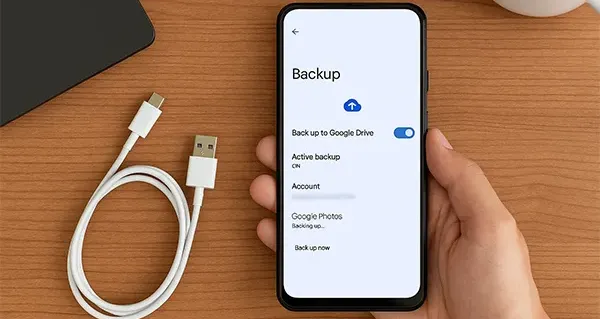
- Open your phone's Settings.
- Find and tap the Google option, then Backup.
- Check if the "Google One backup" option is active and which account is associated. You can tap "Back up now" to force an update.
This method saves app data, call history, contacts, device settings, and SMS. Google offers 15 GB of free storage, shared between Gmail, Google Drive, and Google Photos. If you need more, you can subscribe to a Google One plan.
What about photos and videos? Use Google Photos!
The best way to ensure you don't lose any photos or videos is to use the Google Photos app. Open the app, tap your profile picture, and enable backup. You can choose the quality in which photos are saved. This way, even if your phone is lost, all your visual memories will be safe in your Google account.
How often should you back up?
The ideal answer is: every day. That's why the automatic methods of iCloud and Google are so recommended. They work in the background and ensure that the backup is always up to date. If you prefer the manual method, try to make it a habit to do it at least once a week. And remember: always make an extra backup before going on holiday, before important events, or before handing in your phone for repair.
Don't put off until tomorrow what you can protect today
Setting up a backup routine only takes a few minutes, but it can save you from a huge heartache in the future. It's a small step with a giant benefit. If you're thinking of upgrading your phone to a new one or one of our pre-owned phones with an iCase warranty, having a recent backup will make your experience much faster and more enjoyable. If you have any questions, stop by our store in São João da Madeira. Our team will be happy to help you protect what's most important to you.
Ready to equip your smartphone?
Cases, chargers, screen protectors, and much more — with expert advice and fast shipping.