
Keep Your Phone Like New: Cleaning and Care Guide
Your phone is dirtier than you think
Think about it: you take your phone everywhere. To the coffee shop, to the bathroom, to the gym. You place it on surfaces, put it in your pocket, and touch it all day long. A University of Arizona study found that an average phone has 10 times more bacteria than most toilet seats. Scary, isn't it?
But cleaning isn't just about hygiene. Dust, lint, and other dirt can get into ports and grilles, causing charging problems, muffled sound, and even permanent damage. Keeping your smartphone clean is essential for it to last longer and work like new. In this guide, we'll teach you how to perform a complete and safe cleaning.
The essential cleaning kit: what you'll need
You don't need expensive or complicated products. You most likely already have almost everything at home. Before you start, always turn off your phone.
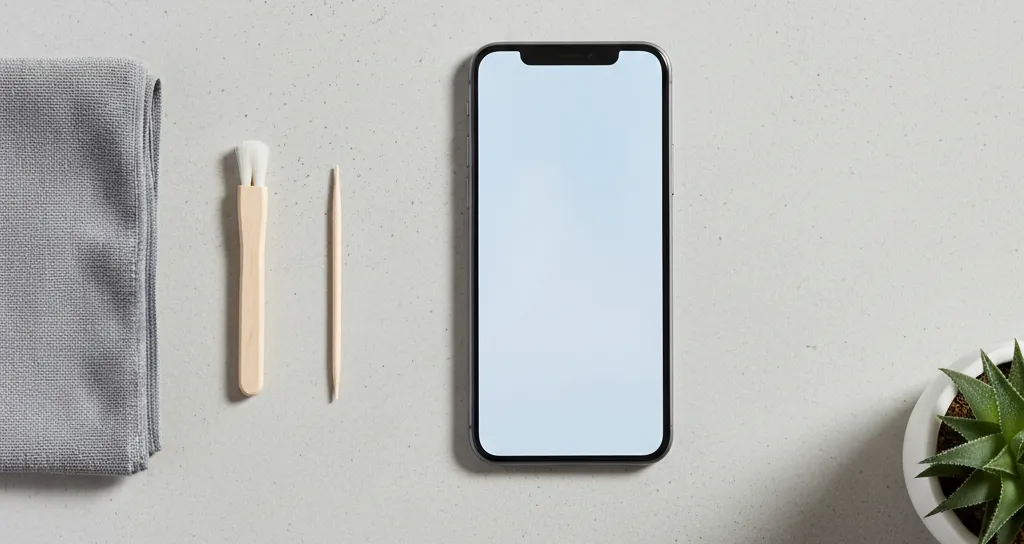
- Two microfiber cloths: The same ones you use to clean your glasses. They are soft and don't leave lint. One for cleaning, one for drying.
- 70% isopropyl alcohol: This is ideal because it evaporates quickly and doesn't damage electronic components. Never use window cleaner, bleach, or other household cleaning products, as they can damage the screen's coating.
- Wooden or plastic toothpicks: Wood is soft and won't scratch the delicate metal contacts inside the ports. Forget about paper clips, needles, or any metal objects.
- Very soft-bristle brush: A new, clean children's toothbrush or a soft brush are perfect for speaker grilles.
- Adhesive tape (optional): Can be useful for "fishing out" dust from speaker grilles.
Step-by-step: how to clean each component
With your kit ready and your phone turned off, let's get to work. Treat each part with the care it deserves.
The screen and back
This is the easiest part. First, wipe with a dry microfiber cloth to remove dust and larger particles. Then, slightly dampen the other cloth with isopropyl alcohol – never spray liquid directly onto the phone! Clean the screen and back with gentle, circular motions. Use the dry part of the cloth or a third cloth to dry completely. A screen with a good glass protector, in addition to protecting it, also makes cleaning easier and safer.
Charging and headphone ports
Is your phone not charging well? The culprit is often lint accumulated in your pocket. This is the most delicate area.
First, peek inside the port with good light. Do you see anything? The safest method is to use a wooden toothpick. With extreme care, gently scrape the inner walls of the port to loosen dirt. Turn the phone with the port facing down and tap it lightly to let the debris fall out. Repeat until clean.
We emphasize: never, ever, use metal objects. A paper clip or needle can cause a short circuit and permanently damage the charging port, a repair that could have been avoided.
Speaker and microphone grilles
If call sound is low or music sounds muffled, the grilles may be clogged. Use the soft, dry bristle brush to gently brush dirt out of the grilles. Do this with light movements. Another trick is to use a small piece of adhesive tape: press it lightly over the grille and pull. Looser dirt will stick to the tape.
The protective case
What's the point of cleaning your phone if you're going to put it in a dirty case? Remove the case and clean it according to the material. Silicone or plastic cases can be washed with warm water and a little soap. Let them air dry completely before putting your phone back in. For leather cases, use a specific leather cleaning product.
Daily care for an impeccable phone
Good maintenance prevents constant deep cleaning. Adopt these habits:
- Clean hands: Wash your hands before using your phone, especially after eating.
- Dedicated pockets: Avoid storing your phone in the same pocket as keys, coins, or other objects that could scratch or dirty it.
- Safe surfaces: Try not to place your phone on dirty or sticky surfaces, such as outdoor cafe tables or kitchen counters.
- Quick clean: Carry a small microfiber cloth and wipe the screen once a day. It makes all the difference.
When cleaning doesn't solve it: know when to ask for help
You've done a careful cleaning, but your phone still isn't charging? Is the sound still problematic? Sometimes, the problem isn't dirt, but a damaged component. Forcing the cleaning can worsen the situation.
If you've tried everything and the problem persists, it's best to stop and seek professional help. At iCase, in São João da Madeira, our technicians can make an accurate diagnosis. Often, a professional internal cleaning solves the problem. If a repair is needed, we'll give you a quote on the spot. It's safer and more effective than risking greater damage.
Taking care of your smartphone is an investment. With a few minutes of attention per week, you not only keep it more hygienic but also prolong its lifespan and ensure it's always ready to help you in your daily life.
Ready to equip your smartphone?
Cases, chargers, screen protectors, and much more — with expert advice and fast shipping.